
Notification Delays
We’re introducing Notification Delays – a smart way to reduce alert fatigue by letting you choose how long a situation must persist before notifications are sent. This helps cut down on unnecessary notifications and gives temporary issues a chance to clear up.
How It Works
When you add a delay to your notification rules, incidents are still created and logged immediately when the criteria are met. However, the system waits for your configured delay period before sending out any notifications. If the issue resolves itself during this waiting period, the incident closes automatically and no notifications are sent.
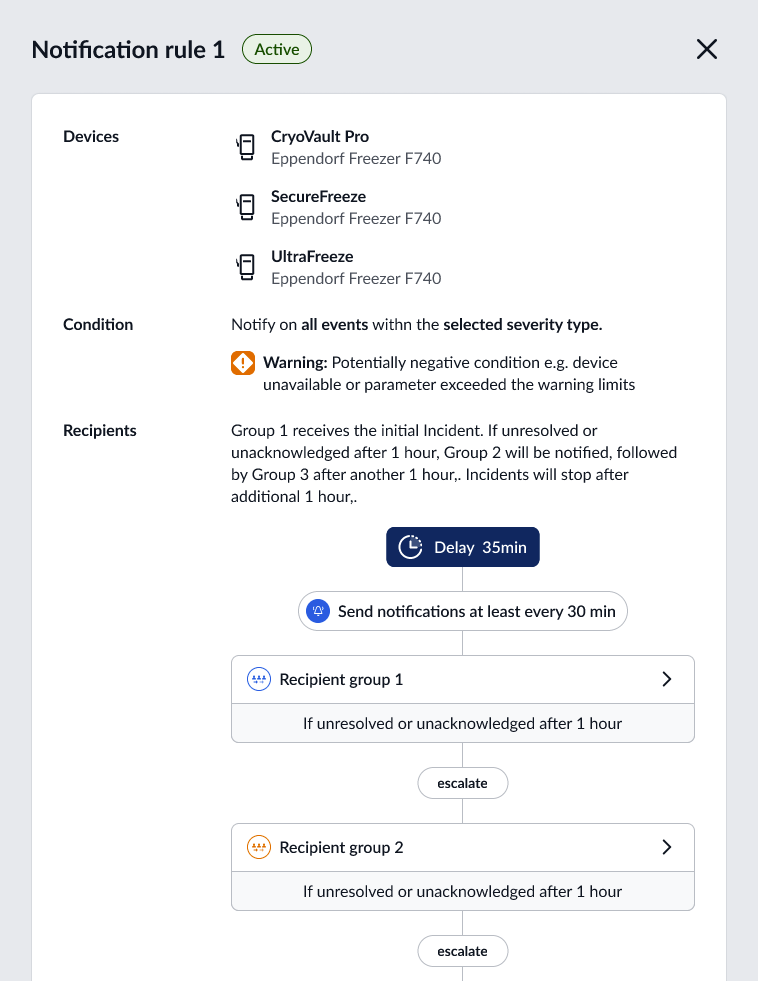
Perfect for Transient Issues
This feature is particularly effective for situations like:
- Brief network interruptions - Short connectivity losses that quickly recover
- Temporary temperature fluctuations - Momentary readings that self-correct
- Environmental spikes - Short-term changes that stabilize naturally
Key Benefits
- Reduced alert fatigue - Fewer notifications for issues that fix themselves
- Maintained incident tracking - Full incident history without notification overload
- Smart filtering - Only get notified about issues that persist
- Customizable per rule - Set different delays for different types of incidents
The Result
You get a cleaner notification experience while maintaining complete visibility into everything happening in your lab. Real issues still get your immediate attention, while transient problems handle themselves quietly in the background.