
Suspend and Resume Notification Rules
You can now suspend and resume notification rules with a simple toggle. This helps you avoid expected alerts during planned maintenance, such as de-icing a freezer or autoclaving an incubator, while keeping your monitoring configuration intact.
What’s New
Suspend Notification Rules
Previously, routine maintenance often triggered alerts for conditions you intentionally caused and already knew about. These unnecessary alerts created noise and contributed to notification fatigue.
With the new “Pause” toggle, you can:
- Pause a notification rule before starting maintenance
- Perform your work without unnecessary alerts
- Resume the rule when you are done, with all settings preserved
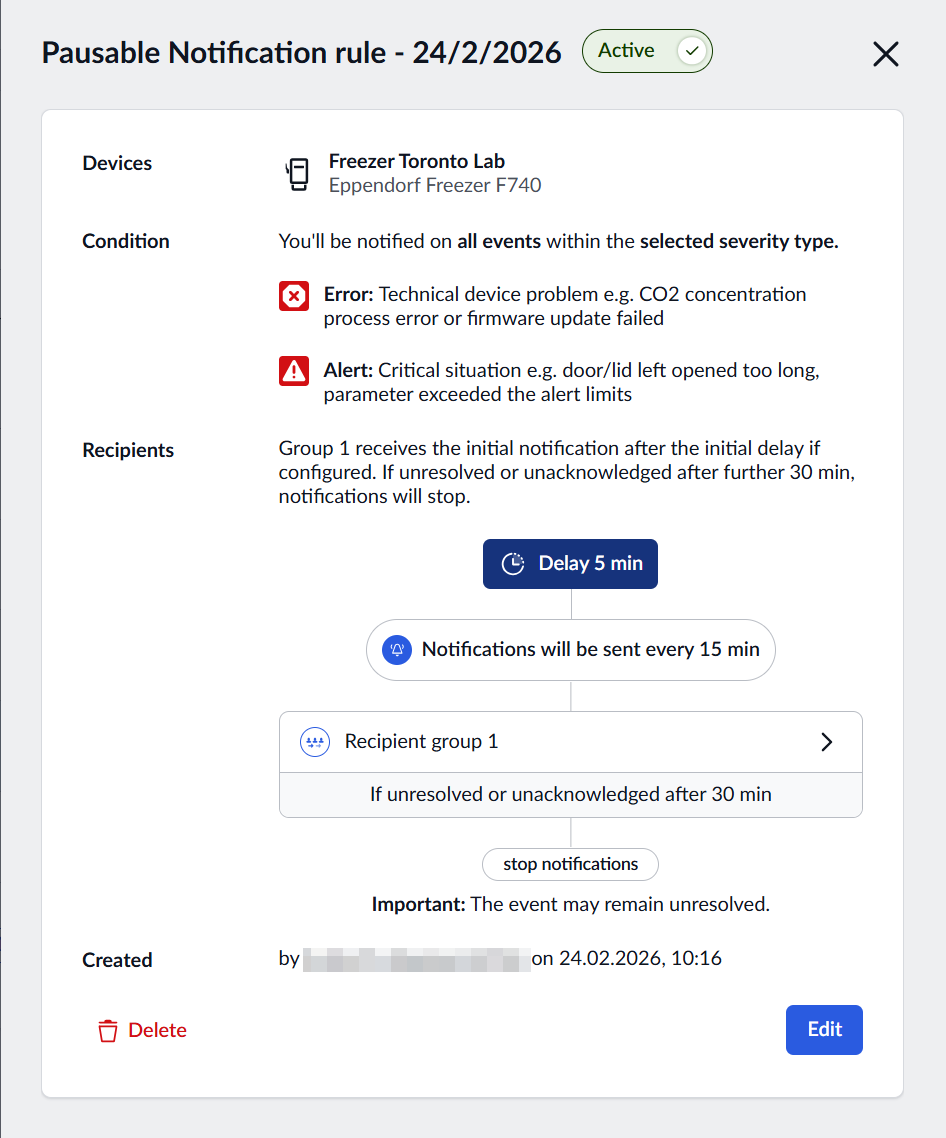
Key benefits
- Eliminate unnecessary alerts during planned maintenance activities
- Reduce notification fatigue by preventing non-actionable alerts
- Simple toggle control for quick suspension and resumption
- Maintain your rule configuration while temporarily paused
Whether you’re de-icing a freezer, autoclaving an incubator, or performing any other scheduled maintenance, you now have complete control over when your notification rules are active. This feature helps you focus on the alerts that truly matter while keeping your team’s attention on genuine issues.